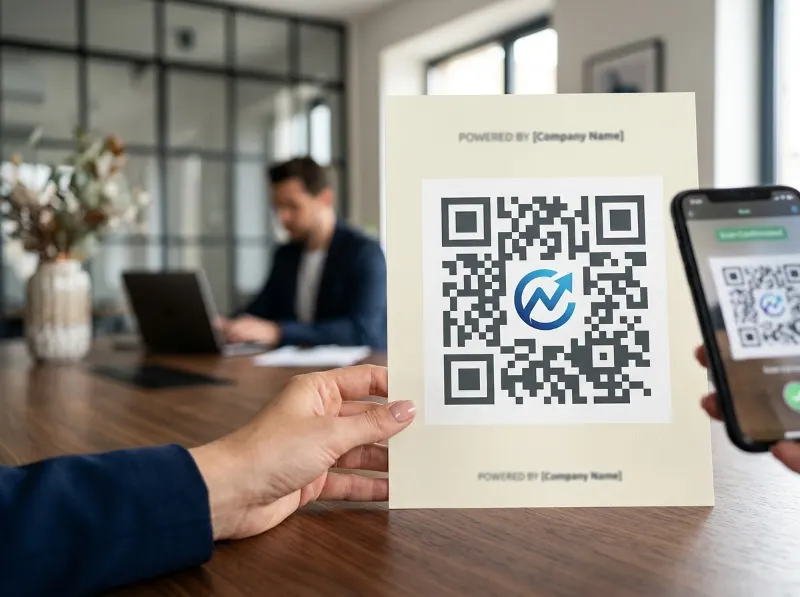
Make Your QR Code Work Harder With a Logo
Let's be honest — a plain black-and-white QR Code isn't exactly eye-catching. It gets the job done, sure, but it doesn't tell your audience anything about who you are or why they should bother scanning it. That's where adding a logo or icon to the center of your QR Code changes everything. A well-designed QR Code with your brand mark front and center becomes more than just a scannable link — it becomes a recognizable brand asset that people actually want to engage with.
First Impressions Matter — Even on a QR Code
Think about it from a customer's perspective. You're at a trade show, flipping through a brochure, or walking past a poster. You see two QR Codes — one is a generic black-and-white square, and the other has a familiar company logo right in the middle with brand colors. Which one are you more likely to trust and scan? The branded one, without question. According to research from Nielsen, consumers are significantly more likely to engage with content they recognize and associate with a trusted brand. A logo embedded in your QR Code delivers that instant recognition in a fraction of a second.
It's Not Just About Looks — It's About Trust
One of the biggest hesitations people have about scanning QR Codes is not knowing where they'll end up. A branded QR Code helps solve that problem. When someone sees your logo in the center of the code, they immediately know it's coming from you. That small detail builds confidence and lowers the mental barrier to scanning. The Better Business Bureau has noted that consumer trust is a critical factor in digital engagement, and anything that reinforces brand authenticity — like a recognizable logo — goes a long way toward earning that trust.
How the Icon Fits Into the QR Code Structure
You might be wondering — doesn't putting an image in the middle of a QR Code break it? Great question. QR Codes are actually built with something called error correction, which allows them to remain scannable even when a portion of the code is obscured. The QR Code standard supports up to 30% data recovery, meaning a well-placed logo that covers a modest portion of the center won't prevent the code from scanning correctly. The key is keeping the logo appropriately sized — typically no more than 20–30% of the total QR Code area — and making sure the surrounding modules remain clean and readable.
Consistency Across Marketing Channels Is Everything
Ask any seasoned marketing professional and they'll tell you the same thing: consistency builds brands. Whether your customer sees you on Instagram, a direct mail piece, your website, or a product label, they should get the same visual experience. The Content Marketing Institute and many branding authorities have long emphasized that consistent brand presentation across all platforms can increase revenue by as much as 10–20%. A custom-branded QR Code — featuring your logo and brand colors — is a natural extension of that philosophy. It ensures that even something as functional as a scannable code reinforces your visual identity.
Your QR Code Is a Marketing Channel Too
It's easy to think of a QR Code as just a utility — a shortcut to a URL. But in reality, every touchpoint where your brand appears is a marketing opportunity. A branded QR Code on your packaging, your business card, your storefront window, or your email signature is doing double duty: it's driving traffic and reinforcing brand awareness. When your logo is front and center on that code, you're not just sharing a link — you're making a brand impression that sticks.
What Makes a Good QR Code Icon?
Not every image works well as a QR Code center icon. Here are a few things to keep in mind when choosing what to place in the center of your code:
- Keep it simple: Detailed, intricate logos can get lost at small sizes. A simplified version of your logo or a single icon mark tends to work best.
- Use contrast: Make sure the icon stands out against the background of the QR Code. High contrast between the icon and the surrounding modules keeps things readable.
- Maintain proportions: The icon shouldn't overpower the code. A general rule of thumb is to keep it under 30% of the total QR Code size.
- Test before you print: Always — and we mean always — scan your branded QR Code with multiple devices before committing it to print or publication.
Brand Colors Play a Role Too
While the icon is the centerpiece, don't overlook the rest of the QR Code design. Pairing your logo with your brand's color palette — using your primary colors for the code modules and a complementary tone for the background — creates a fully cohesive design. The combination of a recognizable icon and consistent brand colors transforms a generic code into something unmistakably yours. This is especially impactful in high-traffic environments like retail displays, events, or transit advertising where your brand competes for attention alongside dozens of others.
Real-World Applications That Benefit Most
Branded QR Codes with custom icons shine in a wide range of use cases. Restaurants using QR Codes for digital menus see higher scan rates when the code reflects their brand identity. Retailers embedding QR Codes in product packaging build stronger unboxing experiences when the code feels like part of the product design. Event organizers using QR Codes for registration, agendas, or check-ins create a more polished attendee experience when every touchpoint — including the QR Code — carries consistent branding. Across industries, the principle holds: branded beats generic every time.
Don't Overlook the Omnichannel Angle
Today's customers move fluidly between the physical and digital worlds. They might discover your brand on social media, encounter it on a product shelf, and then scan a QR Code on your packaging to learn more. Each of those touchpoints needs to feel connected. A Harvard Business Review study on omnichannel retail found that customers who engage with brands across multiple channels have significantly higher long-term value. A branded QR Code — one that carries your logo and visual identity — is the bridge between your offline presence and your online experience, keeping that journey seamless and recognizable at every step.
Getting Started With a Branded QR Code
Creating a QR Code with a custom icon doesn't have to be complicated or expensive. The right QR Code platform will let you upload your logo, adjust placement and sizing, customize colors to match your brand, and preview the result before generating your final code. The most important thing is to use a platform that gives you control over the design without sacrificing scannability. That's exactly what QRSpike.com is built for — giving businesses the tools to create QR Codes that are both functional and on-brand, without needing a graphic design degree to do it.
The Bottom Line
Adding a logo or icon to the center of your QR Code is one of the simplest, most cost-effective ways to elevate your brand presence and drive better engagement. It builds trust, encourages scans, and ensures your QR Code fits naturally into your broader marketing strategy. In a world where brand consistency is a competitive advantage, there's no good reason to settle for a plain, forgettable code. Head over to QRSpike.com and start building a QR Code that actually looks like your brand — because the details matter, and your customers will notice.
References
- Nielsen — Consumer Trust and Brand Recognition Research: https://www.nielsen.com/insights/
- Better Business Bureau — Building Consumer Trust in Digital Environments: https://www.bbb.org/
- Content Marketing Institute — Brand Consistency and Revenue Impact: https://contentmarketinginstitute.com/
- Harvard Business Review — "A Study of 46,000 Shoppers Shows That Omnichannel Retailing Works": https://hbr.org/2017/01/a-study-of-46000-shoppers-shows-that-omnichannel-retailing-works
- ISO/IEC 18004 — QR Code Standard (Error Correction Specification): https://www.iso.org/standard/62021.html