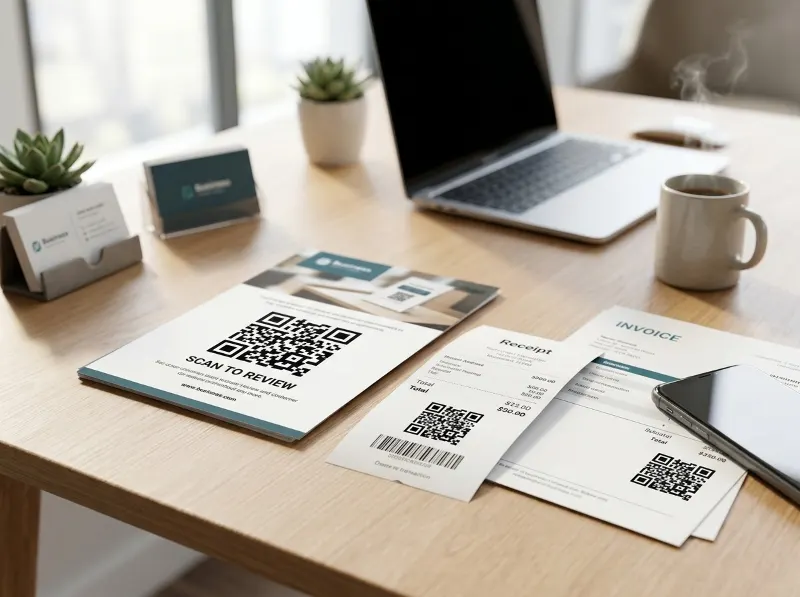
Garner More Reviews with QR Codes
If you've ever tried to get a customer to leave you a review online, you already know the struggle. Most people have great intentions — they genuinely enjoyed your service or product — but the moment they have to dig up your business profile, log into an account, and figure out where to click, the motivation fades fast. That's where QR Codes come in. They remove nearly every bit of friction standing between a happy customer and a glowing review.
Why Reviews Matter So Much Right Now
Online reviews have become one of the most powerful forms of social proof a local business can have. According to the Better Business Bureau, consumers consistently rank peer reviews among the top factors they consider before choosing a business. Meanwhile, Google uses review count and overall rating as signals in its local search ranking algorithm — meaning more reviews can literally help more people find you. If your review count has been sitting flat, it's time to rethink how you're asking.
How QR Codes Make Asking for Reviews Simple
A QR Code is essentially a scannable shortcut. When a customer points their smartphone camera at one, it instantly opens a webpage — no typing, no searching, no frustration. For review collection, that destination is typically your Google Business Profile review link, your Yelp page, or another platform where you want feedback. The customer scans, lands directly on the review prompt, and can leave their thoughts in under a minute.
This simplicity is the whole point. The easier you make it, the more likely customers are to follow through. Businesses that have started using QR Codes for review collection routinely report noticeable upticks in their review volume simply because the call-to-action is right there, at the perfect moment, requiring almost zero effort.
Getting Your Google Review QR Code
If your business has a Google Business Profile (formerly known as Google My Business), you already have access to a free, ready-to-use QR Code. Here's how to get it:
- Sign in to your Google Business Profile account.
- Find your business listing and look for the "Ask for reviews" option in your dashboard.
- Google will generate a short link and, in many cases, a QR Code you can download directly.
- Save the image and start putting it to work.
It really is that straightforward. Google has made this feature available specifically to help small and medium-sized businesses build their online reputation without needing to hire a marketing agency to do it.
Where to Put Your Review QR Code
Once you have your QR Code, the next question is where to place it so customers actually see it and use it. The good news is that you have a lot of options, and you're probably already handing customers materials that would work perfectly:
- Receipts: Print your QR Code at the bottom of every receipt with a simple line like "Enjoyed your visit? Scan to leave us a review!"
- Invoices: For service-based businesses — contractors, accountants, consultants — adding a QR Code to the bottom of an invoice is a natural touch point right when the job is fresh in the customer's mind.
- Flyers and table tents: If you have a physical location, a small printed flyer or tent card near the checkout counter or on dining tables is a low-cost, high-visibility placement.
- Packaging: Insert a small card with your QR Code into product packaging so customers can leave a review after they've had a chance to use what they bought.
- Thank-you cards: A handwritten or printed thank-you card with a QR Code adds a personal touch that customers genuinely appreciate.
Tips for Getting Customers to Actually Scan
Placing the QR Code is step one, but the words around it matter just as much. A bare QR Code with no context doesn't tell anyone what it does or why they should bother. Keep it brief and clear — something like "We'd love your feedback! Scan here to leave a quick Google review." You can also train your staff to mention it verbally. A simple, genuine ask at the end of a transaction — "If you have a moment, we'd really appreciate a review, there's a QR Code right on your receipt" — can make a big difference in scan rates.
Custom QR Codes vs. The Generic Google Link
While Google's built-in option is a perfectly fine starting point, many businesses eventually want more control over how their QR Code looks and where it points. A custom-branded QR Code — one that incorporates your logo and color scheme — looks far more professional on printed materials than a plain black-and-white square. It also signals to customers that you're serious about your brand. Tools like QRSpike let you design and generate branded QR Codes that you can use across all of your marketing materials, not just for reviews but for any URL you want to promote.
Don't Forget Other Review Platforms
Google is the big one for most local businesses, but you're not limited to it. Depending on your industry, platforms like Yelp, Trustpilot, Angi, TripAdvisor, or the Better Business Bureau may also be important sources of customer feedback. You can create separate QR Codes pointing to each platform and use them strategically — for example, a restaurant might prioritize Yelp or TripAdvisor for dine-in customers while using a Google review QR Code on invoices for catering clients.
A Few Things to Avoid
One important reminder: never offer incentives in exchange for reviews. Offering discounts, freebies, or any compensation for leaving a review violates the terms of service of Google, Yelp, and most major review platforms, and it can result in reviews being removed or your account being penalized. The goal is to make it easy for genuinely satisfied customers to share their honest experience — not to manufacture feedback. Keep your ask authentic and your reviews will reflect that.
Putting It All Together
The beauty of using QR Codes for review collection is that it's a low-cost strategy that fits naturally into what you're already doing. You're already handing out receipts. You're already sending invoices. You're already interacting with customers at the point of sale. Adding a QR Code to those touchpoints takes minimal effort on your part but dramatically lowers the barrier for customers to act. Over time, those reviews accumulate, your rating improves, and new customers are more likely to choose you over a competitor with fewer reviews.
If you're ready to create a polished, professional QR Code for your review page — or any other business need — head over to QRSpike.com. It's fast, easy, and you can have a customized QR Code ready to print in just a few minutes.