Turn Happy Customers Into Powerful Reviewers With QR Codes
If you've ever tried to get customers to leave a review, you already know the struggle. Most people mean to do it — they really do — but by the time they get home, open a browser, search for your business, find the right platform, and figure out how to post, the moment has passed. That's where QR Codes come in. A well-placed QR Code removes nearly every barrier between a satisfied customer and a five-star review, and businesses of all sizes are catching on fast.
Why Reviews Matter More Than Ever
Before we dive into the how, let's talk about the why. According to data from BrightLocal's Local Consumer Review Survey, the vast majority of consumers read online reviews before making a purchase decision, and most trust them about as much as a personal recommendation from a friend. For small and mid-sized businesses especially, a steady stream of fresh, positive reviews can be the difference between a thriving business and one that gets overlooked in search results. The challenge has always been getting customers to actually follow through — and that's the problem QR Codes solve beautifully.
How QR Codes Simplify the Review Process
Think about what it takes for a customer to leave a review the old-fashioned way: remember the business name, open a browser, navigate to the right platform, find the listing, log in, and write something. That's a lot of steps. A QR Code collapses all of that into a single phone-camera scan. In seconds, the customer is sitting right on your review page — ready to type. No searching, no guessing, no friction. The simpler you make it, the more reviews you'll get. It really is that straightforward.
QR Codes in Brick-and-Mortar Settings
For physical storefronts — restaurants, retail shops, salons, auto repair shops, you name it — there are dozens of natural places to display a review QR Code. Consider these options:
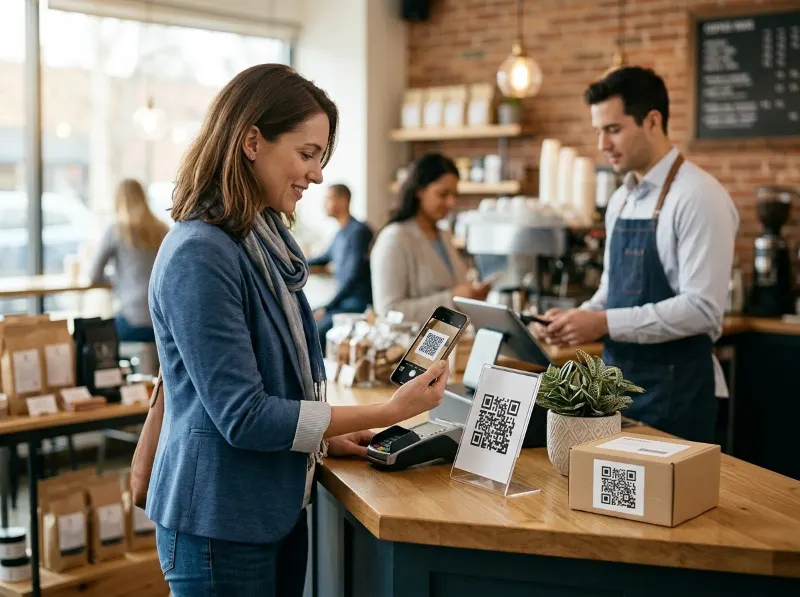
- Point-of-sale counters: A small table tent or counter card right where customers pay is prime real estate. The transaction is fresh, the experience is top of mind, and a quick scan takes only seconds.
- Receipts: Printing a QR Code at the bottom of a paper receipt is an easy and low-cost addition. Customers often hold onto receipts, giving you a second or third chance to earn that review.
- Table tents and menus: Restaurants and cafés can place QR Codes on tables, prompting guests to share their experience while they're still enjoying it.
- Window clings and door signage: Catching people on their way out — while the experience is still warm — is a smart strategy.
- Business cards: A QR Code on the back of your business card gives customers an easy path to leave a review long after they leave your location.
The key in any physical setting is to pair the QR Code with a clear, friendly call to action. Something as simple as "Enjoyed your visit? Scan to share your review!" works wonders.
QR Codes for Delivered Products and E-Commerce
The opportunity doesn't stop at your front door. If your business ships physical products to customers, QR Codes tucked inside the package can be just as effective — arguably even more so, because the customer is already in a moment of excitement when they open their order. Here are some ways to make it work:
- Package inserts: A small card inside the box with a QR Code and a note like "Love what you received? Let others know!" is inexpensive to produce and highly effective.
- Packing slips: Add the QR Code to your printed packing slip. Customers almost always look at this document when they open a shipment.
- Product tags and labels: For certain goods, the QR Code can live right on the product tag, the label, or even the product packaging itself.
- Thank-you cards: A personalized thank-you card with a QR Code adds a human touch and makes customers feel appreciated — which makes them far more likely to leave a positive review.
This approach works especially well for e-commerce sellers, subscription box services, handmade goods sellers, and any business that ships products directly to consumers. You're meeting the customer right at the peak of their excitement.
Choosing Where Your QR Code Leads
One important decision is choosing which review platform your QR Code points to. Google Business Profile reviews are generally the most valuable for local SEO and visibility, but depending on your industry, you might also consider Yelp, Trustpilot, TripAdvisor, Facebook, or industry-specific platforms. Google makes it easy to generate a direct review link for your business listing, which you can then encode into a QR Code. If you're not sure which platform to prioritize, Google is almost always the safest bet for most businesses looking to improve local search visibility.
Dynamic QR Codes Give You Flexibility
Here's a pro tip worth knowing: not all QR Codes are created equal. Dynamic QR Codes — like the ones you can create at QRSpike.com — allow you to change the destination URL after the code has already been printed and distributed. That means if you decide to switch from Yelp to Google reviews, or if your review link changes, you don't have to reprint all your materials. You just update the destination in your QRSpike dashboard, and every existing code automatically points to the new location. For businesses that print a lot of physical materials, this kind of flexibility can save serious time and money.
Track What's Working With Scan Analytics
Another advantage of using a platform like QRSpike is built-in analytics. You can see how many times your QR Code was scanned, when scans happened, and in some cases where they came from. This is incredibly useful when you're trying to figure out which placement is actually driving reviews. Is the table tent outperforming the receipt? Is the package insert getting scanned more on weekends? That kind of data helps you make smarter decisions and double down on what's working.
Keep It Simple and Keep It Legal
A quick but important note: when you're soliciting reviews, keep things honest and straightforward. Major platforms like Google and Yelp prohibit incentivizing reviews (for example, offering discounts in exchange for a positive review). The goal is simply to make it easier for genuinely happy customers to share their experience — not to manufacture fake praise. Authentic reviews build real trust, and that trust compounds over time into a stronger reputation and more business. Stick to simply removing the friction, and let your great products and service do the rest.
Getting Started Is Easier Than You Think
You don't need a big marketing budget or a technical background to start using QR Codes for reviews. The process is straightforward: grab your review link from Google or your platform of choice, head over to QRSpike.com, generate a dynamic QR Code, download it, and start adding it to your materials. Whether you're a solo entrepreneur selling handmade goods online or a multi-location retail chain, the approach scales to fit your situation. Start with one placement, see how it performs, and expand from there.
The Bottom Line
Reviews are one of the most powerful and cost-effective marketing tools available to any business — and QR Codes are one of the simplest ways to collect more of them. By eliminating the friction that stops customers from following through, a well-placed QR Code can meaningfully grow your review count, strengthen your online reputation, and ultimately bring more customers through your door (or to your product listing). Whether you're placing codes at your checkout counter, printing them on package inserts, or adding them to your business cards, the strategy is the same: meet your customers in the moment and make it ridiculously easy to share. QRSpike.com is a great place to get started — create your first review QR Code today and see the difference it makes.
References
- BrightLocal. Local Consumer Review Survey. https://www.brightlocal.com/research/local-consumer-review-survey/
- Google Business Help. Get reviews on Google. https://support.google.com/business/answer/7035772
- QRSpike. QR Code Generator and Management Platform. https://qrspike.com