Where You Put Your QR Code Matters More Than You Think
You spent time designing a great QR code, wrote a compelling call to action, and got it printed — but nobody is scanning it. Sound familiar? The problem might not be the code itself. It might be where you put it. Placement is one of the most overlooked factors in QR code performance, and getting it wrong can kill your scan rate no matter how polished everything else looks. This guide breaks down the practical rules that help businesses — from restaurants to retail shops to event organizers — place QR codes where they actually get used.
The Golden Rule: Eye Level Gets the Most Scans
If there is one rule to memorize, it is this: place QR codes at eye level whenever possible. For a standing adult, that sweet spot is roughly 4 to 5 feet off the ground. At that height, a person can see the code, pull out their phone, and scan without awkward bending, stretching, or repositioning. The moment someone has to contort their body to scan something, you have already lost most of them. Think of it the same way retail stores think about product placement — prime shelf space is at eye level for a reason.
Eye-level placement also keeps your code in a person's natural field of vision. When people walk through a space, their eyes drift forward and slightly downward — not up at the ceiling, not down at the floor. A code mounted at chest height or slightly above catches that gaze naturally. If your display is fixed, like a wall sign or a banner stand, anchor the QR code in the upper-center or upper-right section of the design where the eye tends to land first.
Tabletop Placement: A Different Set of Rules
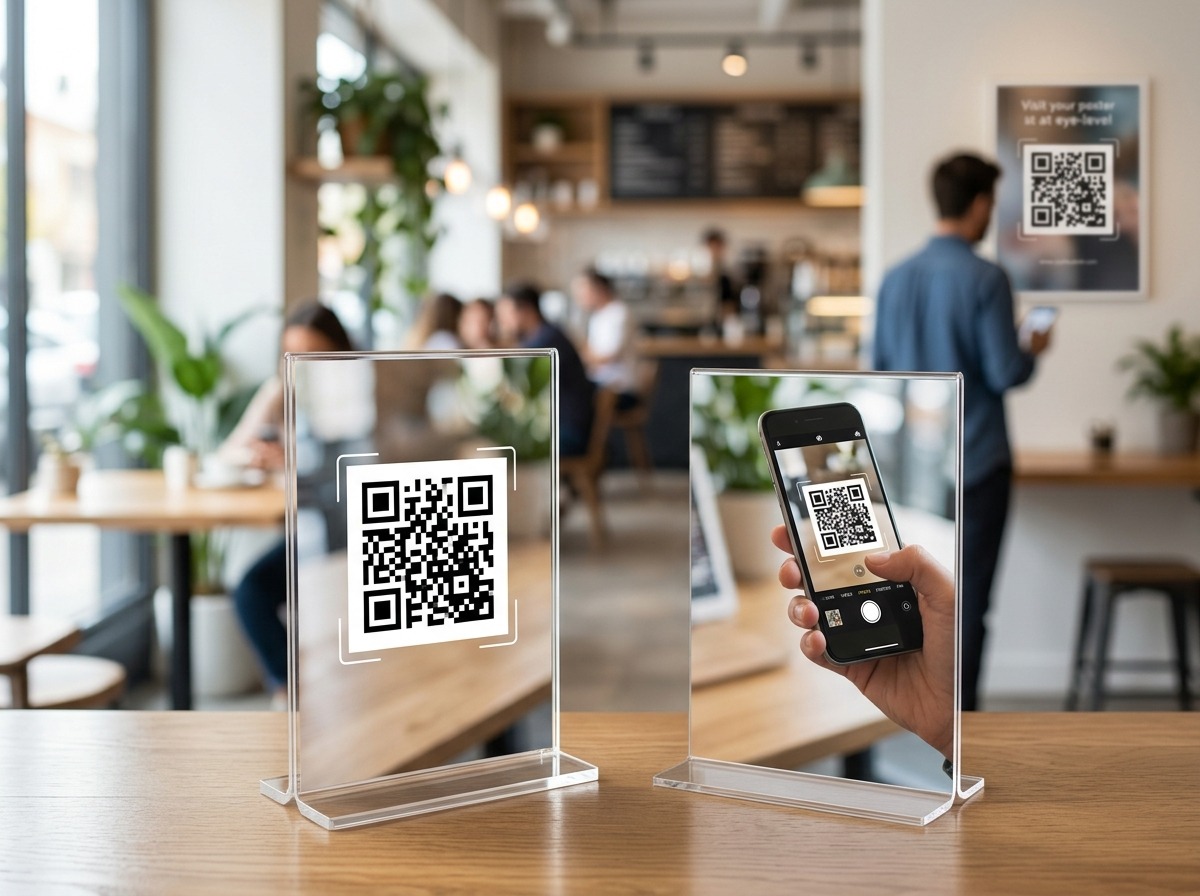
Tabletop QR codes — the kind you see at restaurant tables, hotel desks, or trade show booths — follow their own logic because the user is already seated or leaning over the surface. For table tents and flat cards, a few things matter a lot:
- Angle matters. A code lying completely flat on a table is harder to scan than one propped up at a 45- to 70-degree angle. A slight tilt lets the phone camera capture the code without the user having to hold the phone directly overhead, which is awkward and leads to blurry scans.
- Keep it unobstructed. Tabletop codes often get covered by drinks, plates, condiment holders, or other items. Place them near an edge or in a stand that keeps them visible even when the table is busy.
- Size it for close range. Tabletop users are only 12 to 18 inches away, so your code does not need to be enormous — but it still needs adequate quiet zone (the white border around the code) to scan cleanly. A minimum of 1 inch square is workable at close range, though 1.5 inches gives better reliability.
Reachability: Can Someone Actually Get Their Phone to It?
Reachability is a placement factor that gets ignored constantly. A QR code behind glass, inside a display case, at the top of a 10-foot banner, or mounted on the exterior of a building with no nearby walkway is essentially decorative. Before you finalize any placement, ask yourself: Can a person realistically hold their phone camera within 12 inches of this code? Most smartphone cameras can read a properly sized QR code from a few feet away, but glass reflections, distance, and awkward angles all reduce scan success. If people cannot comfortably get their phone in position, move the code.
This is especially important for outdoor placements. A QR code on a poster inside a storefront window might seem convenient, but the glass creates glare and reflection that confuses phone cameras. If you need a window placement, use a frosted or matte window cling material rather than glossy paper behind glass, and make sure the code is positioned at a height and angle that a person standing on the sidewalk can actually reach with their phone.
Lighting: The Silent Scan Killer
Lighting is one of the most common reasons QR codes fail in the real world. Phone cameras need enough contrast to distinguish the dark modules of a QR code from the light background. In dim or uneven lighting, that contrast disappears and scans fail. Here is what to watch for:
- Avoid deep shadows. If your code is mounted in a corner, under a shelf overhang, or in any spot that gets little ambient light, either add a light source or move the code.
- Watch for glare. Glossy finishes on menus, laminated signs, and coated paper catch light and create hotspots that wash out part of the code. Matte finishes scan far more reliably under mixed lighting conditions.
- Test at different times of day. A wall sign that scans fine in the morning may become unreadable in the afternoon when sunlight hits it at a different angle. Test your placement across multiple lighting conditions before committing.
- Indoor signage near windows. Backlighting from a window behind a sign can make the code nearly impossible to read. Face the sign away from strong natural light sources, or add a front-facing light to ensure the code stays readable.
Surfaces to Avoid: Folds, Curves, and Texture
The physical surface your QR code lives on has a huge impact on whether it scans. QR codes are designed to be read on flat, stable, evenly lit surfaces. Anything that distorts the grid pattern of the code — even slightly — can cause a scan failure. Never place a QR code across a fold line. If a brochure, mailer, or packaging has a crease running through the code, the two halves of the code will not align properly when the item is opened or handled. Always position the code away from edges and folds, with plenty of flat margin on all sides.
Curved surfaces are another trap. A QR code wrapped around a cylindrical product, a coffee cup sleeve, or a curved display column will distort the code's geometry enough that many phone cameras cannot decode it reliably. If you need to brand a curved surface, place the code on a flat panel or hang tag attached to the item instead. Similarly, avoid textured materials like fabric, corrugated cardboard, rough wood, or brick — the texture breaks up the clean edges of the modules and reduces scan accuracy significantly.
Outdoor and High-Traffic Placement Tips
Outdoor QR codes face environmental challenges that indoor codes do not. Weather, distance, and foot traffic patterns all affect performance. For outdoor use, keep these guidelines in mind:
- Use weatherproof materials. A printed paper code exposed to humidity will curl, blister, or fade quickly. UV-resistant vinyl or aluminum substrates hold up far better and maintain scan quality over time.
- Size up for distance. If people will be scanning from more than 3 feet away — say, a code on a storefront or a transit poster — increase the code size proportionally. A general rule of thumb is that scan distance should not exceed 10 times the code's width.
- Place in natural pause points. Think about where people naturally stop: near entrances, at crosswalks, beside a bench or waiting area. A code placed where people are already slowing down or standing gets far more engagement than one placed mid-stride on a busy sidewalk.
- Protect from vandalism and wear. High-traffic areas mean more physical contact. Mount codes high enough to avoid being obscured by stickers or handled to the point of damage, or use a laminated protective coating.
A Quick Placement Checklist Before You Print
Before you finalize any QR code placement, run through this quick checklist to avoid the most common mistakes:
- Is the code at or near eye level for a standing or seated user?
- Can a person realistically hold a phone within scanning distance without obstacles?
- Is the surface flat, smooth, and free of fold lines or curves?
- Is the area well-lit with no glare or deep shadows?
- Does the code have adequate quiet zone (white border) on all sides?
- Is the finish matte rather than glossy?
- Have you tested the scan from the user's actual vantage point — not just from up close at your desk?
That last point is worth emphasizing: always test from the user's perspective. Walk up to your sign, poster, or table the way a customer would, pull out your phone, and see what happens. You will often catch problems — a shadow, an awkward angle, a competing visual element — that you would never notice from behind a desk.
Put Great Placement to Work With the Right QR Code
Placement decisions only pay off if the underlying QR code is reliable, trackable, and built to perform. At QRSpike.com, you can generate dynamic QR codes that let you update the destination URL without reprinting — which means if you move a sign or change a campaign, your existing code still works. You also get scan analytics so you can see which placements are actually driving engagement and which ones need rethinking. Getting the placement right is step one; having a code that gives you data to keep improving is step two. Start building smarter QR codes at QRSpike.com today.
References
- U.S. Sign Council Foundation — Signage and Wayfinding Research. Available at: usscfoundation.org
- International Organization for Standardization — ISO/IEC 18004:2015 QR Code Bar Code Symbology Specification. Available at: iso.org/standard/62021.html
- Small Business Administration — Marketing and Advertising Resources for Small Businesses. Available at: sba.gov