You have probably seen QR codes that open a website, a menu, or a PDF. A contact form QR code does something more useful for a business: it opens a short form where a prospect can leave their name, email, and a message. There is no business card to lose and no sticky note to misplace. This article explains what that kind of code is and where the responses go. It also covers how you can run the whole thing without signing up for a separate form tool.
What a Contact Form QR Code Actually Is
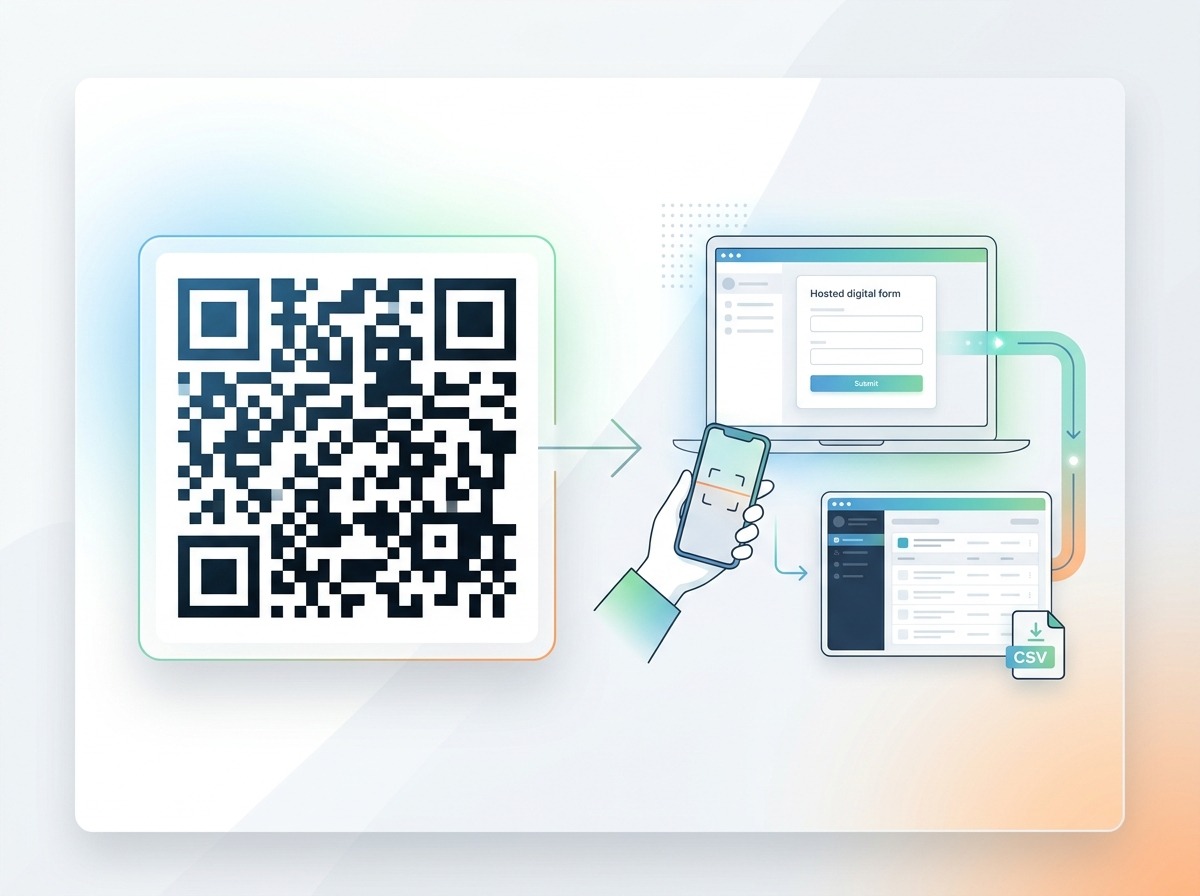
A contact form QR code is a regular QR code that points to a form hosted for you. Someone scans it with their phone camera, the form opens in their browser, and they fill it out and hit submit. They don't download an app or create an account. The form lives on the same platform that generated the code, so you don't have to build a page, find hosting, or wire two systems together.
How the Pieces Fit Together
The setup has three parts, and all of them live in one place:
- The QR code: the scannable image you print or display.
- The hosted form: the mobile-friendly page people see after scanning.
- The dashboard: where every submission is stored and where you review it.
Many small businesses piece this together by hand. They make a QR code in one tool, build a form in a second tool, and then copy the form's link into the first. When something breaks, they have two logins to check and two bills to pay. Keeping everything under one roof removes those problems.
Where Your Responses Go
When someone submits the form, the response shows up in your QRSpike dashboard. You see who reached out, what they said, and when they said it. You can check it between meetings and sort out which leads to call first. Nothing gets lost in a pile of paper, and you don't have to remember which notebook you wrote someone's number in.
Exporting to CSV
A dashboard is handy, but most teams eventually want the data somewhere else, such as a spreadsheet, a CRM, or an email marketing list. That is where CSV export comes in. CSV is a plain file format that Excel, Google Sheets, and nearly every CRM can open or import. You export your responses, open the file, and your leads are in neat rows and columns. You don't need an integration, a developer, or a paid add-on to move them over.
Why Skip the Third-Party Form Tool?
Standalone form builders are fine, but they come with extra costs for a simple lead-capture job. You pay for another subscription, manage another login, and sometimes hit submission limits or find that the features you need sit behind a higher tier. You also spread customer data across more platforms, and that is one more place to keep secure. When the QR code, the form, and the responses all live in the same account, the workflow is simpler and so is the billing.
Where These Codes Work Best
The form is a good fit anywhere a person is interested but not ready to talk to you yet:
- Printed on a service van, yard sign, or storefront window
- On a flyer, postcard, or product packaging
- At the checkout counter or on a table tent
- On a business card, as a quick way to ask a question
Each of these is a moment when you want to make reaching out as easy as possible. Scanning a code and typing a few lines takes far less effort than remembering a phone number or typing a web address.
Tips for a Form People Will Actually Finish
Keep the form short. Name, email or phone, and a message box is enough for most businesses, and every extra field gives people another reason to quit. Put a clear line of text next to the code, like "Scan to request a quote," so people know what they'll get. Print the code large enough to scan easily and test it on a couple of different phones before you print a thousand copies. Then check your dashboard often. A lead that sits for a week goes cold quickly.
A Quick Word on Privacy and Follow-Up
Once you collect contact details, you are responsible for handling them well. The Federal Trade Commission offers a plain-English guide on protecting personal information. It covers basics like keeping only what you need and restricting who can see it. If you follow up by email, the FTC's CAN-SPAM guide for businesses explains the rules for commercial messages, including honest subject lines and a working opt-out. Both are free and worth a skim before you start your first campaign.
The Bottom Line
A contact form QR code turns a quick scan into a lead. The hosted form collects the details, your QRSpike dashboard stores every response, and a CSV export lets you take the list wherever it needs to go. You don't need a separate form service for any of it. If you want a simpler way to capture leads from print, signage, or packaging, set up a contact form QR code at QRSpike.com and see how it works for your business.
References
- Federal Trade Commission, Protecting Personal Information: A Guide for Business
- Federal Trade Commission, CAN-SPAM Act: A Compliance Guide for Business